Despite its terse man page, Chromium provides a large number of command-line options. One of these is app-id, which tells Chromium to directly launch a specific Chrome App. Combined with the isolation provided by Firejail, this makes using Chrome Apps a much more enjoyable experience.
For instance, I use the Signal Desktop app. When I received the beta invite, I created a new directory to act as the home directory for the sandbox that would run the app.
$ mkdir -p ~/.chromium-apps/signal
I then launched a sandboxed browser using that directory and installed the app.
To launch the application I can now simply run signal, just as if it was a normal desktop application. I don’t have to worry about it accessing private information, or even care that it is actually running on Chromium underneath. I use this method daily for a number of different Chrome Apps, all in different isolated directories in ~/.chromium-apps. As someone who is not a normal Chromium user, it makes the prospect of running a Chrome App much more attractive.
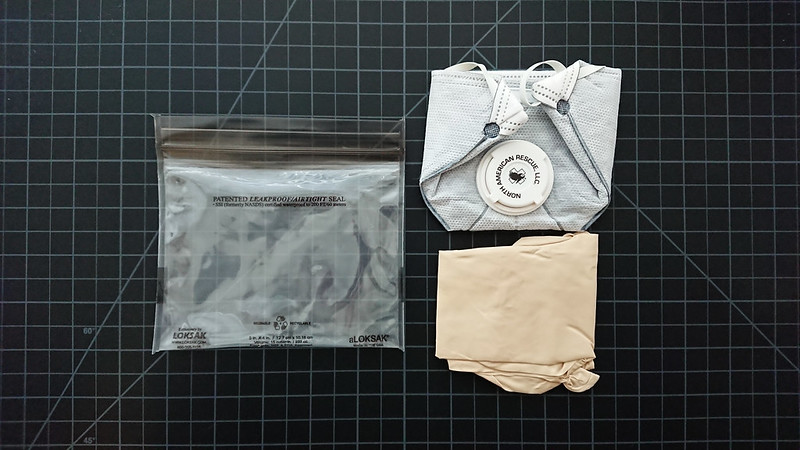
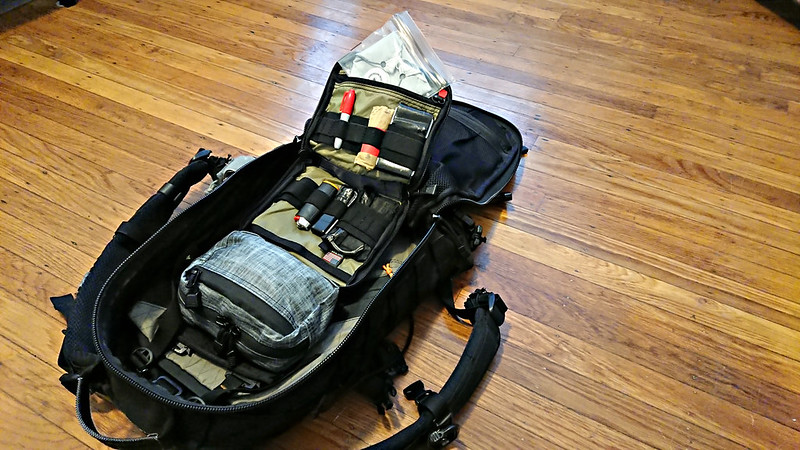
It’s the first solution I’ve found that allows me to carry a SOFTT-W on-body, comfortably and unobtrusively. The Flatpack prevents the need to resort to a secondary tourniquet for first line carry, which makes it a valuable supplement to any EDC. BFE Labs offers an overview of the product in their first look.
A credit security freeze denies access to your credit file. I first learned about it last summer from Brian Krebs, but didn’t implement it until a couple months later. It took me about 45 minutes and $20 to activate the freeze with the five major credit bureaus. This goes a long way to reducing the threat of identify theft, with very little energy expenditure required. A proactive defense is superior to reactive monitoring services. If you need your credit pulled monthly or more frequently, constantly freezing and unfreezing your file would probably be an annoying inconvenience. For the rest of us, I’m not sure if there is any good reason not to enable the freeze.
BRouter is open source navigation software built on OpenStreetMap, intended primarily for bicycle routing. It offers both web and Android versions. The Android version calculates routes as GPX tracks, which are then fed into a mapping application. My preferred OpenStreetMap application, OsmAnd, supports BRouter as its navigation back-end. OsmAnd allows me to configure the frequency, repetition and units of instructions. I use Ivona TTS with the UK voice, which I think sounds more natural than either the Ivona US voice or Google’s TTS offerings. In sum, this gives me accurate, offline navigation, tuned to my method of travel, anywhere on the planet, with superior maps to traditional commercial offerings.
I’ve previously mentioned the Firejail sandbox program. It’s an incredibly useful tool. I use it to jail pretty much all the things. Over the past six months, I’ve found that one of my primary use cases for Firejail is to create private, temporary sandboxes which can be destroyed upon closure. I wrote Firewarden, a simple wrapper script around Firejail, to reduce the keystrokes needed for this type of use.
Disposable Browsers
Prepend any program with firewarden and it will launch the program inside a private Firejail sandbox. I use Firewarden to launch disposable Chromium instances dozens of times per day. When the program passed to Firewarden is chromium or google-chrome, Firewarden will add the appropriate options to the browser to prevent the first run greeting, disable the default browser check, and prevent the WebRTC IP leak. The following two commands are equivalent:
Firewarden also provides a few options to request a more restricted Firejail sandbox. For instance, you may want to open a URL in Chromium, but also use an isolated network namespace and create a new /dev directory (which has the effect of disabling access to webcams, speakers and microphones). The following two commands are equivalent:
In this example, Firewarden used NetworkManager to discover that enp0s25 was the first connected device, so it used that for the network namespace.
Local Files
Firewarden isn’t just useful for browsers. It can be used with any program, but my other major use case is safely viewing local files. File types like PDF and JPG can include malicious code and are a primary vector for malware. I use zathura as my PDF reader, which is a simple and lightweight viewer that doesn’t include anywhere near the number of potential vulnerabilities as something like Adobe Acrobat, but I still think it prudent to take extra precautions when viewing PDF files downloaded from the internet.
If Firewarden thinks the final argument is a local file, it will create a new directory in /tmp, copy the file into it, and launch the program in a sandbox using the new temporary directory as the user home directory1. Firewarden will also default to creating a new /dev directory when viewing local files, as well as disabling network access (thus preventing a malicious file from phoning home). When the program has closed, Firewarden removes the temporary directory and its contents
I use this functionality numerous times throughout the day. I also include Firewarden in my mailcap, which goes a long way to reducing the dangers of email attachments.
Firewarden doesn’t add any new functionality to Firejail, but it does make it easier to take advantage of some of the great features that Firejail provides. Check it out if you’re interested in reducing the keystrokes required to Jail All The Things™.
Notes
↵ This is similar to using Firejail's old --private-home option, which was removed in 0.9.38. However, that option was limited to files in the user's home directory. It couldn't be easily used with a file from a USB drive mounted at /media/usb, for instance.
The airspace above San Francisco is usually fairly dead. From what I’ve seen, most commercial jets heading in and out of SFO or OAK avoid flying directly over the city. This week I’ve been watching the radar more frequently than usual. With the Super Bowl in town, I assumed there would be more interesting traffic. I use the radar to look for suspicious flights, which to me means smaller craft with circular paths.
N2462G has what must be a mind-numbingly boring job. Every day, the Cessna 206 takes off from the Concord area (possibly Buchanan) and flies circles around the Embarcadero and Treasure Island. The aircraft is registered to an aerial sports broadcasting company, so I assume they’re just shooting footage of Super Bowl City.
More interesting are the government flights. Today during lunch I watched N6241L. The Beech Super King took off from Mountain View, flew up the coast, and made circles around the Golden Gate. A quick search showed this to be registered to the Department of Homeland Security. The radar isn’t limited to fixed wing craft. N3933A, a Eurocopter Squirrel also registered to DHS, was flying down the coast at about the same time.
There are of course flights that don’t show up on the radar, but the service provides an idea of what’s going on in the sky. I think the Android application is a good buy. Combined with a police scanner, you can begin to turn a smartphone into a mobile intelligence gathering toolkit. It is useful for locating excitement, whether you’re trying to avoid it, get into it, or just be aware of it.